
Crafting and Building
GeneReAdventure
4.118.67K Reviews
- Version
- 1.26.51.1
- Installs
- 100.00M
- Age Rating
- Everyone
Screenshots
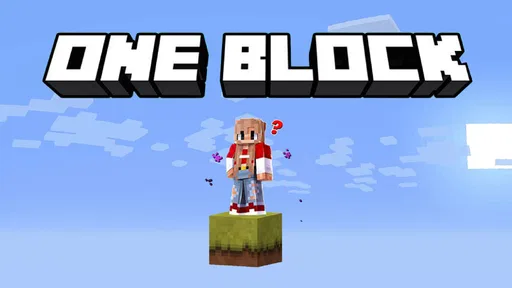
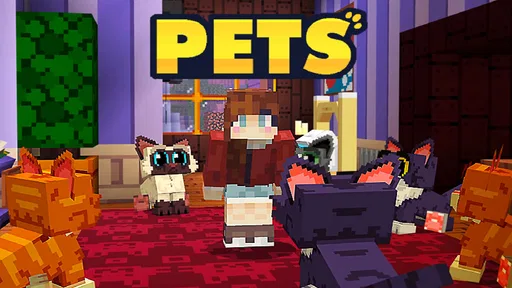
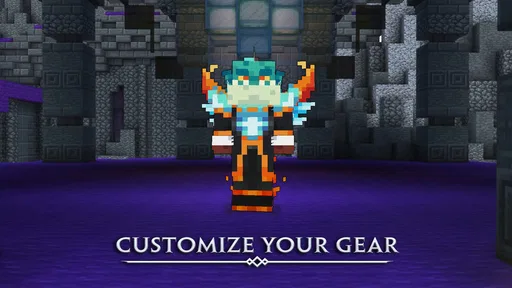
Our Review of Crafting and Building
 Analysis by Appyee
I find Crafting and Building easiest to enjoy when I treat it as a small creative project rather than a game I need to rush through. I can spend a short session gathering a few materials, or return later to shape a larger build with friends. That flexible pace is the main appeal: it gives me room to explore, experiment with blocks, and decide what kind of play sounds fun today.
It is a free adventure game from GeneRe, rated for Everyone, and its simple premise makes it approachable for younger players and adults who want a relaxed building session. The game has a 4.1 average from around 1.6 million ratings, with more than 100 million installs. Those figures suggest it has reached a broad audience, but they do not tell me whether its style will suit you: that depends on how much you enjoy open-ended block building and setting your own goals.
A steady first-session routine
My practical advice for a first visit is to resist the urge to start a grand structure immediately. Look around, get comfortable with moving and placing blocks, and collect enough materials for a modest shelter or work area. A compact first build gives you somewhere to orient yourself and a reason to explore nearby terrain without turning the opening session into a long resource hunt.
After that, I like to choose one small objective at a time: improve the shelter, test a different material, or scout a nearby location. This keeps the game satisfying even when I only have a little free time. It also makes a useful distinction between two kinds of players. If you enjoy inventing your own challenges, the open format can feel freeing; if you want a tightly directed campaign that constantly tells you what to do next, this may feel too loose.
Make building easier on yourself
A useful habit is to plan the footprint before committing to walls and decoration. I mark out a simple shape, check that it feels spacious enough, and then build upward or add details. That small pause saves materials and reduces the familiar frustration of finishing a roof only to realize the interior is awkward. For a larger project, I also divide the work into visible stages—foundation, shell, rooms, finishing touches—so I can stop and resume without losing track of what I meant to make.
I would also check the controls and settings before settling into a long session, especially if I am playing on a phone or tablet. Touch input can make careful placement less comfortable than broad exploration, so I take a moment to learn how movement and building feel on my device and adjust what the game allows. I would not assume that every control option or display choice works the same across devices; a quick test build is a better guide than planning an elaborate project before I know how precise placement feels.
Playing with friends works best with a plan
The social side is most enjoyable when everyone agrees on a shared goal. Before starting a group build, I find it helps to decide who is shaping the main structure, who is gathering materials, and what style the group wants. That is not a formal rule, just a simple way to avoid several people changing the same wall or collecting supplies no one needs. For casual visits, exploring one another’s creations can be just as satisfying as working on a single enormous project.
Because the game is aimed at a broad audience, I would still use ordinary care when playing with people I do not know. For younger players, a familiar group of friends is a more comfortable starting point than treating every online interaction as automatically trustworthy. If your main goal is private, uninterrupted building, solo play may be a better fit; if you want conversation and teamwork, the multiplayer option gives the world a more shared feel.
Where it sits among sandbox games
Compared with more demanding survival-focused alternatives, I see this as a lighter entry point for people who mainly want to build and explore without making every session feel like a test of preparation. Compared with dedicated creative tools, it offers a game world and a reason to wander, rather than only a blank design space. That balance is useful for casual play, though players who want deep engineering systems, elaborate progression, or highly precise design controls may prefer a more specialized sandbox.
The look and sound reinforce that straightforward approach. The blocky visuals are bright and readable, and the familiar effects help make collecting and building feel tangible. They are not the reason I would choose the game over every alternative, but they suit its relaxed tone. On a smaller screen, I would favor clear, sturdy shapes over tiny decorative details; a design that looks impressive from a distance can become hard to manage when each placement needs careful tapping.
Getting Started: Your First Steps
So, you’ve just downloaded Crafting and Building and are ready to embark on your creative journey. The first thing that hits you is the playful and vibrant interface. It’s user-friendly and doesn’t overwhelm you with too many options right off the bat. Instead, it gently nudges you into the blocky universe where your creativity can run wild.
What I love about this game is its approachability. Whether you’re a seasoned builder or a newbie just getting your feet wet, the game welcomes you with open arms. The basic controls are intuitive, and before you know it, you’re chopping down your first tree and crafting your initial set of tools.
Exploration and Creativity
Once you’ve got the hang of the basics, it’s time to explore! The world in Crafting and Building is expansive and full of surprises. You’ll find yourself wandering through dense forests, scaling towering mountains, and navigating mysterious caves. The urge to explore is irresistible, and the sheer variety of biomes keeps things fresh and exciting.
Now, let’s talk about the real star of the show: building. The game offers a vast array of blocks and materials to construct your dream structures. Whether you’re into medieval castles, modern skyscrapers, or cozy cottages, there’s something for everyone. And the best part? It’s all at your fingertips, waiting for your imagination to take the lead.
Multiplayer Magic
One of the standout features of Crafting and Building is its multiplayer mode. Building alone is fun, but building with friends? That’s where the magic happens. You can team up with players from around the globe, collaborate on massive projects, or just hang out and explore each other’s creations.
There’s something incredibly satisfying about working together to bring a massive project to life. It’s not just about the building; it’s about the camaraderie and the shared experiences that make the game truly special. So grab a few friends, fire up the multiplayer mode, and get ready for some unforgettable adventures.
Graphics and Sound
Visually, Crafting and Building sticks to the classic blocky aesthetic that fans of sandbox games know and love. It’s charming and nostalgic, with a touch of modern flair that makes it feel fresh. The colors are bright and inviting, making it a joy to explore the world for hours on end.
The sound design complements the visuals perfectly. From the crunch of footsteps on gravel to the satisfying clink of crafting tools, the audio immerses you in the world. It’s those little details that make the experience all the more engaging.
Comfort, costs, and who should pass
The game is free to start, with optional in-app purchases ranging from around two dollars to around fifty dollars per item. I would treat those purchases as a choice, not a prerequisite: try the core building loop first and decide whether anything extra would genuinely improve how you play. If you are choosing it for a child, it is sensible to agree on purchase expectations before handing over a device. The Everyone age rating makes it broadly accessible, but it does not replace family judgment about online play or spending.
For an ordinary after-school or after-work session, I might spend a few minutes collecting what I need, then use the rest of the time to add a room or reshape a path near a base. If a friend joins, we can turn that same small task into a shared plan instead of starting a sprawling build with no direction. This is where the game’s low-pressure structure works well: progress can be personal and incremental rather than dependent on a long uninterrupted session.
I would skip it if I needed a carefully guided story, a competitive objective, or a construction interface designed for fine architectural precision. It is also less appealing if touch-based placement feels fiddly to you or if you prefer a survival game where managing danger and resources is the central challenge. The current version is 1.21.131.1 and requires Android 8.0 or later, which is useful to check before installing on an older device. For iOS, I would check the requirements shown for the specific device before downloading.
Small habits that make longer projects manageable
When I return to an unfinished build, I take a moment to look at it from the outside before placing anything. It is easy to get absorbed in one wall and miss that the overall shape has become lopsided. I also leave a clear route between the entrance and the parts I use most; a beautiful structure is less pleasant to revisit if moving around it becomes a nuisance. These are modest habits, but they help turn a pile of blocks into a space that feels intentionally usable.
For collaborative work, I would agree on a simple visual rule before the group begins—for example, keeping one material for the main exterior and another for accents. That reduces accidental patchwork and lets each person contribute without copying someone else’s exact work. If the group cannot settle on one design, dividing the build into distinct areas is often more enjoyable than trying to make every choice unanimous.
Exploration can also serve a practical purpose instead of becoming aimless wandering. I use a short scouting trip to look for a setting that inspires a build, then return with a clear idea of what the site needs: a compact shelter, a lookout point, or a more open structure that suits the terrain. The trade-off is that a scenic location may require extra effort to make a build feel connected to its surroundings. I would choose a location for the project I actually want to finish, not just because it looks dramatic at first glance.
How to judge whether it fits your play style
A common question is whether this is enjoyable alone or only with friends. I think solo play is worthwhile if you like setting your own goals and seeing a place gradually take shape. Multiplayer adds the pleasure of shared decisions, but it is not a substitute for a plan: friends with different ideas can make a build feel scattered unless they agree on a purpose or divide the work. If you want a quiet creative break, playing alone may be the more relaxing option.
Another useful question is whether a new player needs to know crafting games already. I do not think so. The approachable opening makes it possible to learn by trying basic actions, while experienced players can bring their own building ideas and routines. What matters more is patience with an open-ended format. If you are happiest when a game provides a marked next task, you may find yourself wishing for more direction than this kind of sandbox naturally provides.
For a family deciding whether to install it, I would weigh the simple building appeal against the social setting and optional purchases. A child who likes making places and showing them to friends may find plenty to enjoy; a parent who wants a completely private or tightly supervised experience should first consider how the child will use multiplayer and set expectations around spending. The rating is Everyone, but the best fit still depends on the household and the way the game is played.
Mastery without turning play into homework
To me, getting better at this game is less about memorizing tricks and more about making repeatable choices. I start small, test how a shape looks in the world, and only then scale it up. I keep group projects organized around clear roles, and I make sure a build remains easy to move through rather than treating decoration as the only measure of success. Those habits help whether I am making a modest home or contributing to something much larger.
GeneRe’s adventure game has a broad reach, with more than 18 thousand written reviews alongside its large audience. I would read that popularity as evidence that the simple mix of exploration and construction has lasting appeal, not as a promise that every player will love it. The game is free, but optional purchases are part of the experience, so I would go in with a clear idea of what I want from it and avoid spending just because an item is available.
Final Thoughts
In a world filled with countless sandbox games, Crafting and Building manages to carve out its own niche. Its welcoming nature, coupled with endless possibilities for creativity and exploration, makes it a must-try for any fan of the genre. Whether you’re looking to build towering castles, explore mysterious caves, or just chill out with friends, this game has got you covered.
So, what are you waiting for? Grab your pickaxe, gather your friends, and dive into the world of Crafting and Building. Your next great adventure awaits!
Privacy and Permissions
See what permissions an app requests and how it handles your data.
- Location
- approximate location (network-based)
- Phone
- read phone status and identity
- Photos/Media/Files
- read the contents of your USB storage, modify or delete the contents of your USB storage
- Storage
- read the contents of your USB storage, modify or delete the contents of your USB storage
- Wi-Fi connection information
- view Wi-Fi connections
- Device ID & call information
- read phone status and identity
- Other
- view network connections, allow Wi-Fi Multicast reception, full network access, draw over other apps, control vibration, prevent device from sleeping, Google Play license check
Verdict
Strengths of Crafting and Building
- User-friendly interface for easy navigation.
- Variety of building materials available.
- Offline mode for uninterrupted play.
- Regular updates with new features.
- Creative mode encourages imagination.
Limitations of Crafting and Building
- Graphics could be more detailed.
- Limited multiplayer options.
- Ads can be intrusive at times.
- Some in-app purchases are pricey.
- Occasional performance lags.
Similar Picks in This Category
View All
Roblox
Roblox Corporation4.2

Pokémon GO
Niantic, Inc.3.5

Ninja warrior: legend of adven
TOH Games4.6

Ninja Arashi
Black Panther4.6

Eyes - The Horror Game
Fearless Games sp. j.4.5

Critical Action:Gun Strike Ops
FPS Shooter & Action Game4.3
Frequently Asked Questions
What is Crafting and Building?
Crafting and Building is a sandbox-style game that allows players to explore, create, and build in a blocky 3D world. It offers a creative mode for unlimited resources and a survival mode where players must gather materials and fend off threats. The game is popular for its engaging gameplay and endless creative possibilities.
Is Crafting and Building free to play?
Yes, Crafting and Building is free to download and play. However, it may contain optional in-app purchases that enhance the gameplay experience or provide cosmetic items. Players can fully enjoy the game without spending money, but purchasing these extras can offer additional customization and features.
What platforms is Crafting and Building available on?
Crafting and Building is available on both Android and iOS platforms. This means you can easily download it from the Google Play Store or the Apple App Store, making it accessible for a wide range of mobile devices. Ensure your device meets the minimum system requirements for optimal performance.
Does Crafting and Building support multiplayer mode?
Yes, Crafting and Building supports multiplayer mode, allowing players to join friends or other gamers online to collaborate on building projects or explore worlds together. This feature enhances the social aspect of the game, making it a fun and interactive experience for players who enjoy cooperative gameplay.
Are there any parental controls in Crafting and Building?
Crafting and Building does not have built-in parental controls, but parents can use device settings to manage app usage and in-app purchases. It's recommended to supervise younger players and discuss online safety, especially when they engage in multiplayer modes. Parents can also review game content to ensure it aligns with their values.
Play our best games!


